Turn every website conversation into
the right next step
From the first answer to a qualified enquiry, support handoff, or booking, Zeltino gives your team one place to shape the conversation and what happens next.
Explore each part of Zeltino on its own, or see how they work together from the moment a visitor asks a question to the moment your team has something useful to act on.
01 / 06Knowledge & setup
Give every answer a trusted starting point
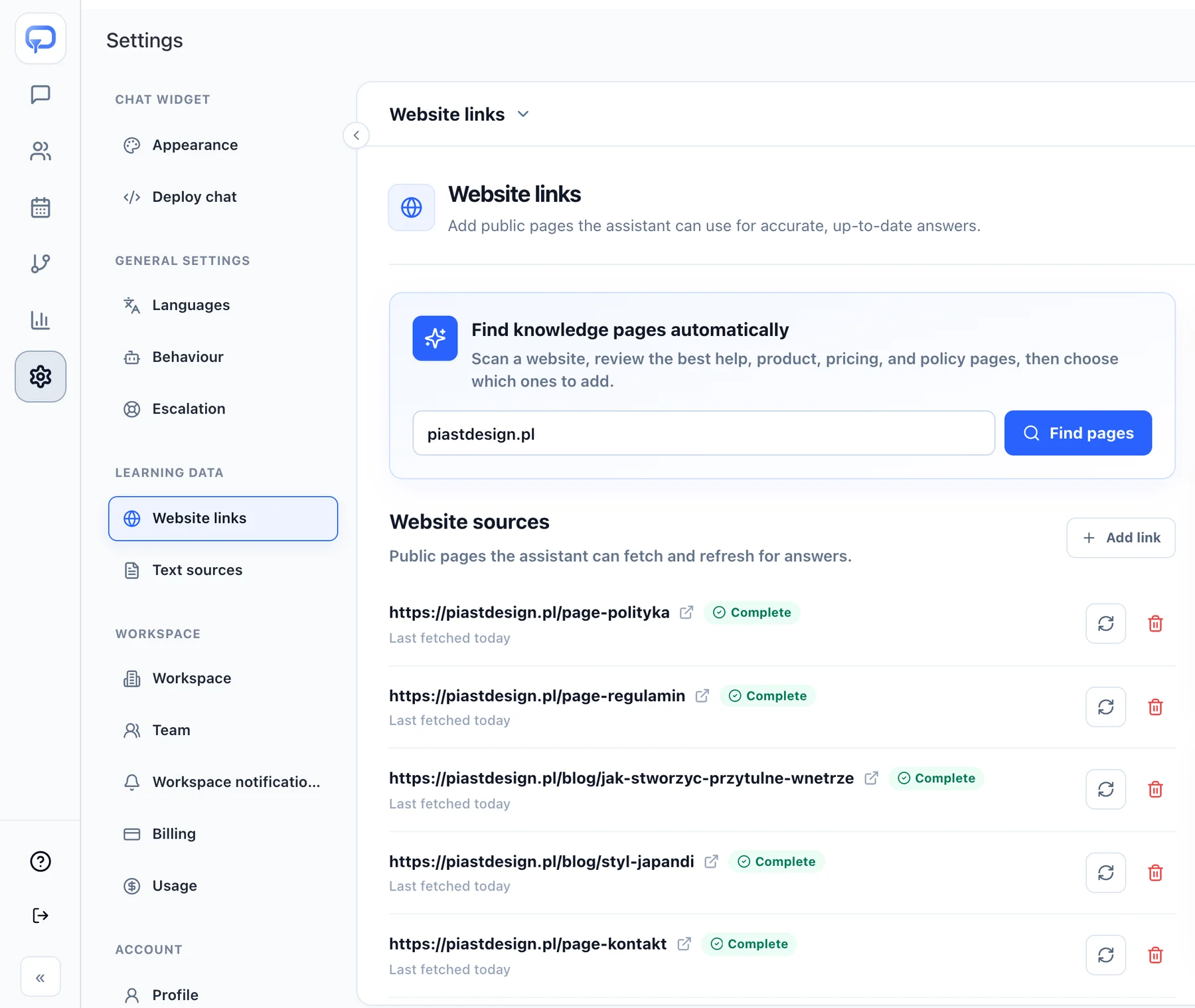
Add your website and approved text sources so Zeltino can understand your offer, policies, and customer-facing information before the first live conversation.
Start with what already existsUse public website pages as the starting point instead of rebuilding your knowledge from scratch.
Review the imported contextCheck the areas Zeltino has learned and refine what it should use before launch.
Define the fallbackChoose what happens when the available knowledge is not enough for a reliable answer.
Start with one URL, then refine.
yourcompany.comScan
Reading your website42 pages
Services
Pricing
FAQs
Policies
Delivery
Contact
Not sure? Offer a callbackFallback when knowledge isn’t enough
Quick setupWebsite knowledgeA clear starting point, not a blank canvas.
02 / 06Appearance & behaviour
Make the agent feel like part of your business
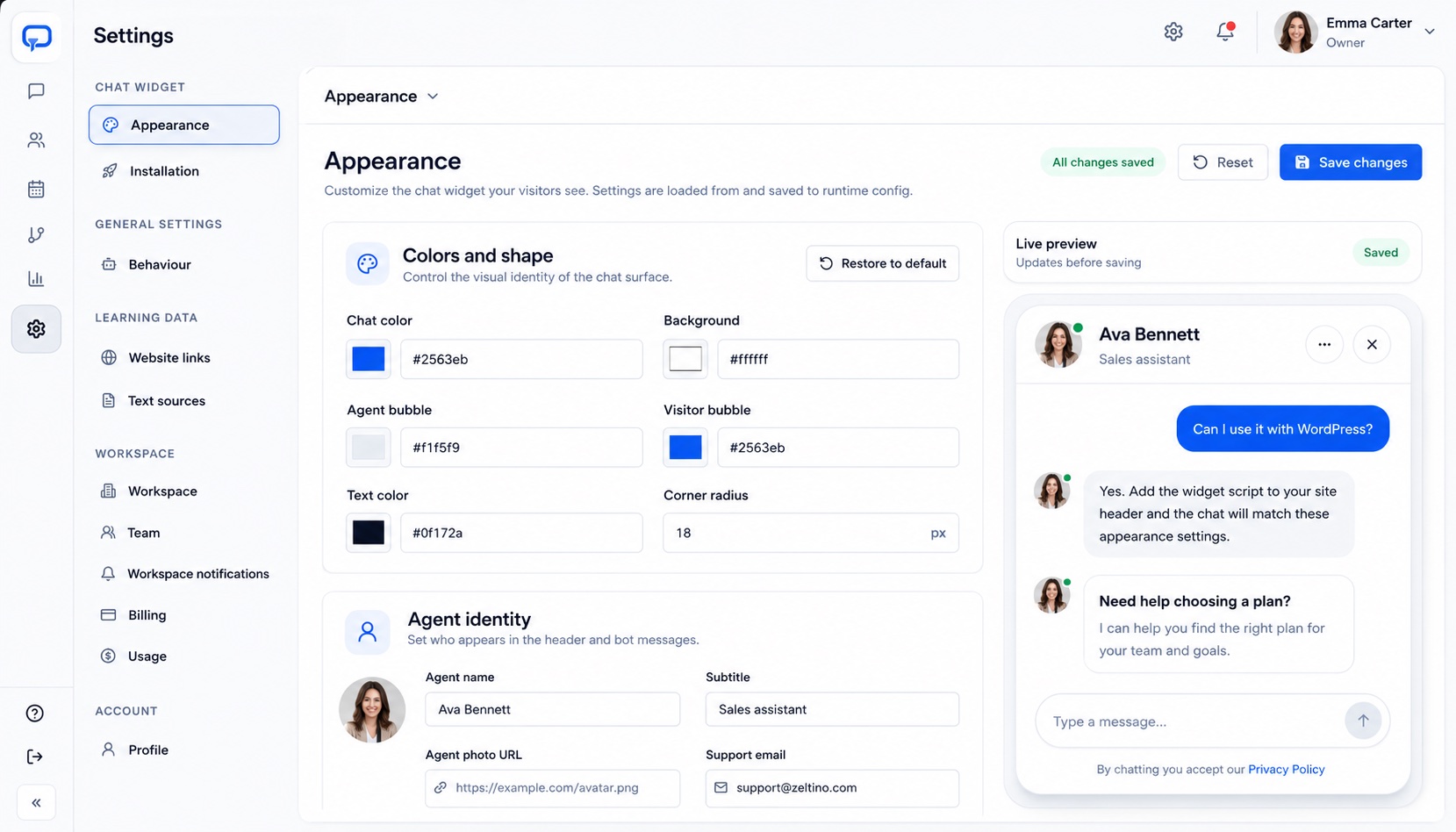
Control the visual identity, tone, instructions, and boundaries of the assistant so the experience belongs on your website—not in a generic chatbot template.
Match your visual languageSet colors, shape, agent identity, and the details visitors see in the widget.
Shape how it communicatesDefine a recognizable tone, conversation approach, and the guidance it should follow.
Preview before publishingSee how the configured widget and messages will appear before making changes live.
Your brand on the surface. Your rules underneath.
AI behaviourSaved
Tone of voice
ProfessionalFriendlyDirect
Brand colour
Preview updatedReview it, then publish to your website
Agent settingsAppearance & identityEvery visible detail stays under your control.
03 / 06ChatFlows & automation
Build journeys around the outcomes you care about
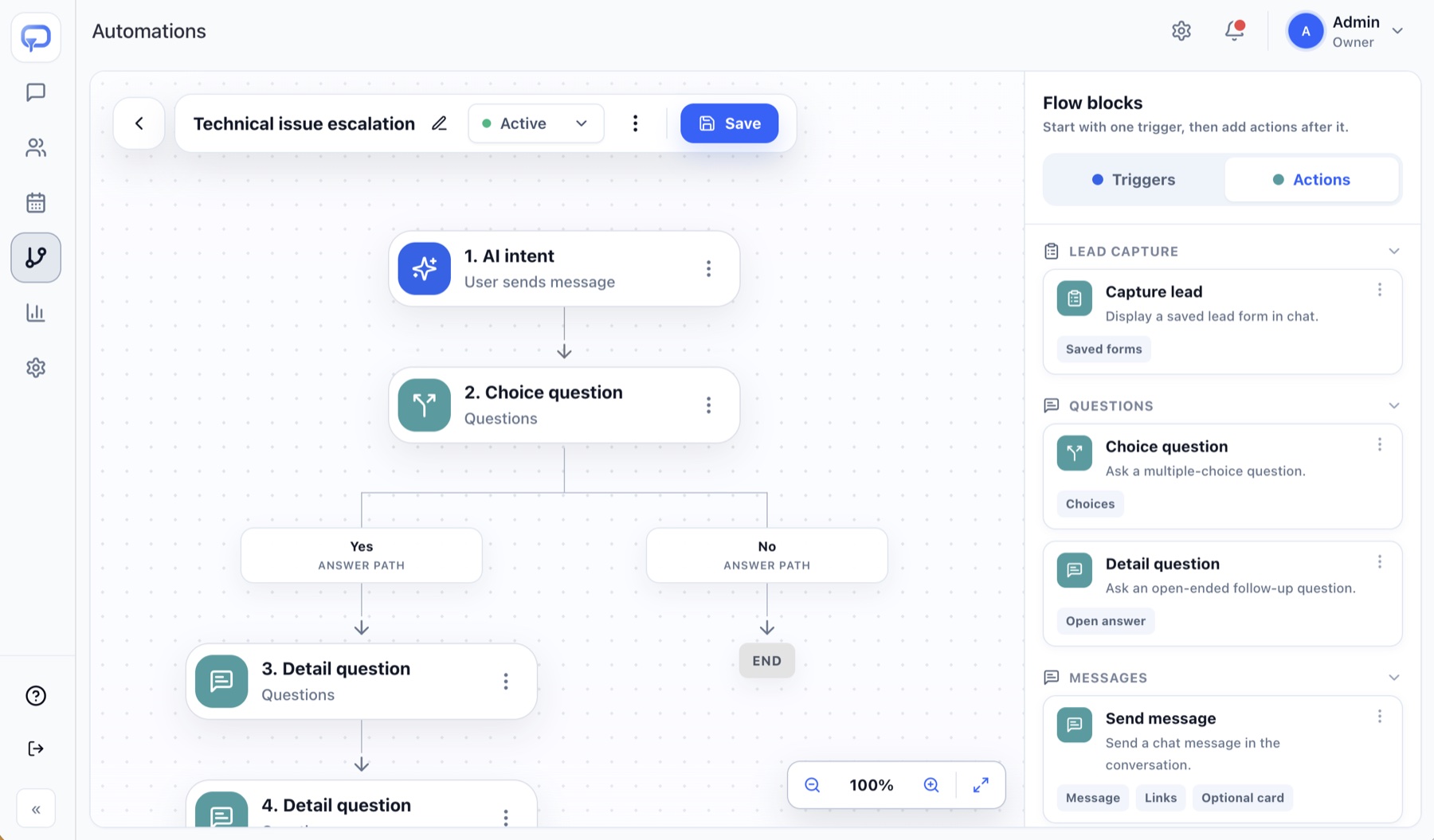
Turn a useful answer into a useful next step. ChatFlows combine intent, questions, choices, and actions into a path that fits the way your business handles enquiries.
Start from visitor intentUse the reason behind a message as the starting signal for the right flow.
Ask only what mattersAdd choice and detail questions to understand needs without turning chat into a long form.
Branch toward the right actionContinue, capture details, send a configured message, or prepare a handoff based on the answer.
Automation builderTechnical issue flowEach branch follows a process you define.
One connected system
The conversation and the next action stay together
Each capability adds context to the next, so visitors get a coherent experience and your team receives something useful rather than another disconnected chat transcript.
01
Answer
Respond from approved business knowledge.
02
Understand
Recognize intent and ask the useful follow-up.
03
Act
Complete the configured flow or prepare a handoff.
04
Improve
Use conversation outcomes to refine the journey.
04 / 06Capture & qualification
Collect better enquiries without breaking the conversation
When a visitor shows interest, Zeltino can ask the relevant follow-up questions, capture contact details, and preserve the context your team needs for a useful response.
Capture details in chatCollect contact information at the point where the visitor already understands the value of following up.
Qualify around your criteriaAsk about needs, timing, company context, or another signal that matters to your team.
Keep the conversation attachedCarry the original question and collected context into the next stage instead of starting again.
A lead arrives with a reason, not just an email.
Do you work with small teams? We'd need it next month.
Yes—most of our clients are teams of 2–20. Shall I ask a specialist to call you?
Anna KowalskaLead captured
Phone
+48 512 345 678
Need
Plan for a team of 8
Timing
Next month
QualificationContext-ready enquiryQualified details stay attached to the conversation.
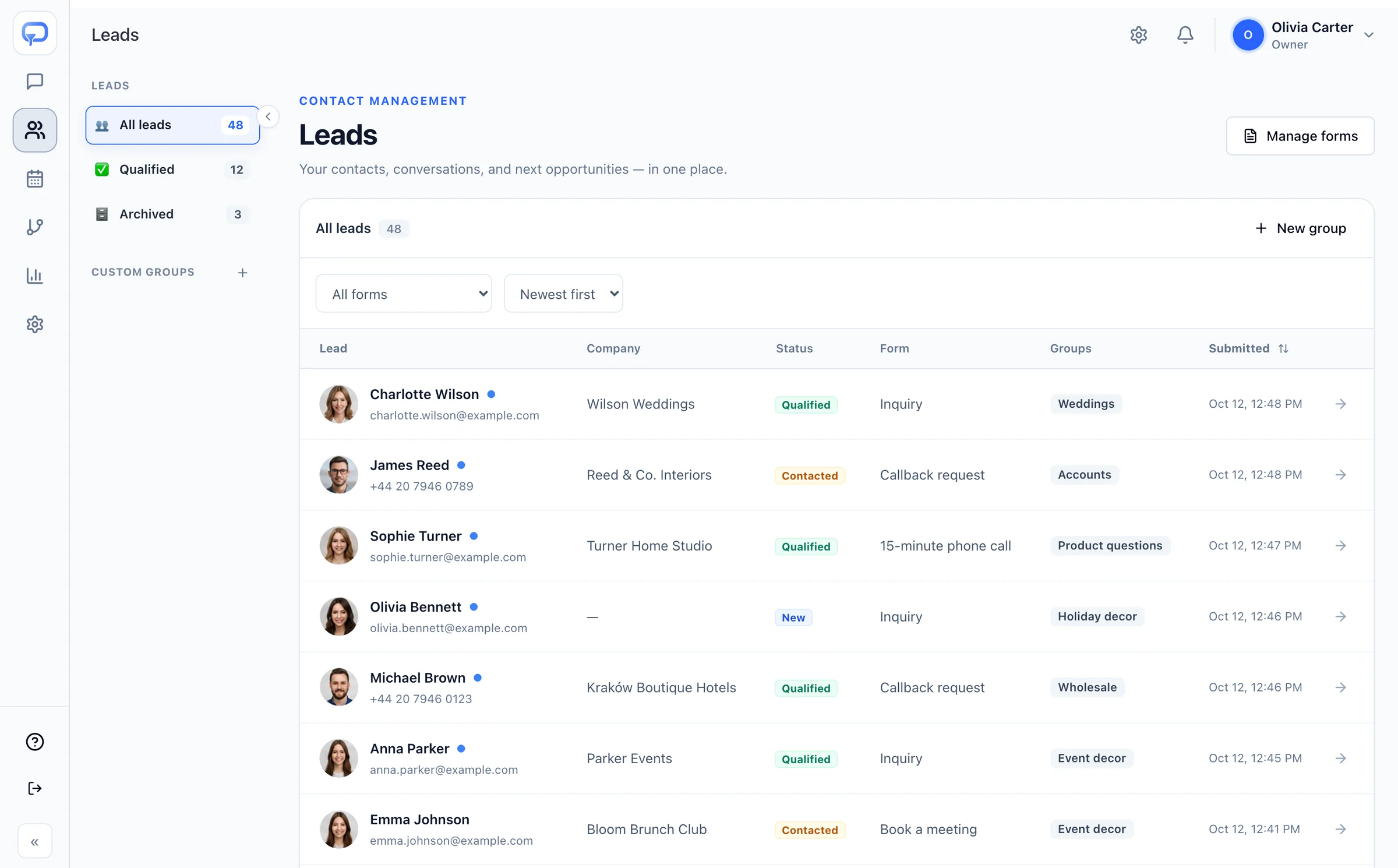
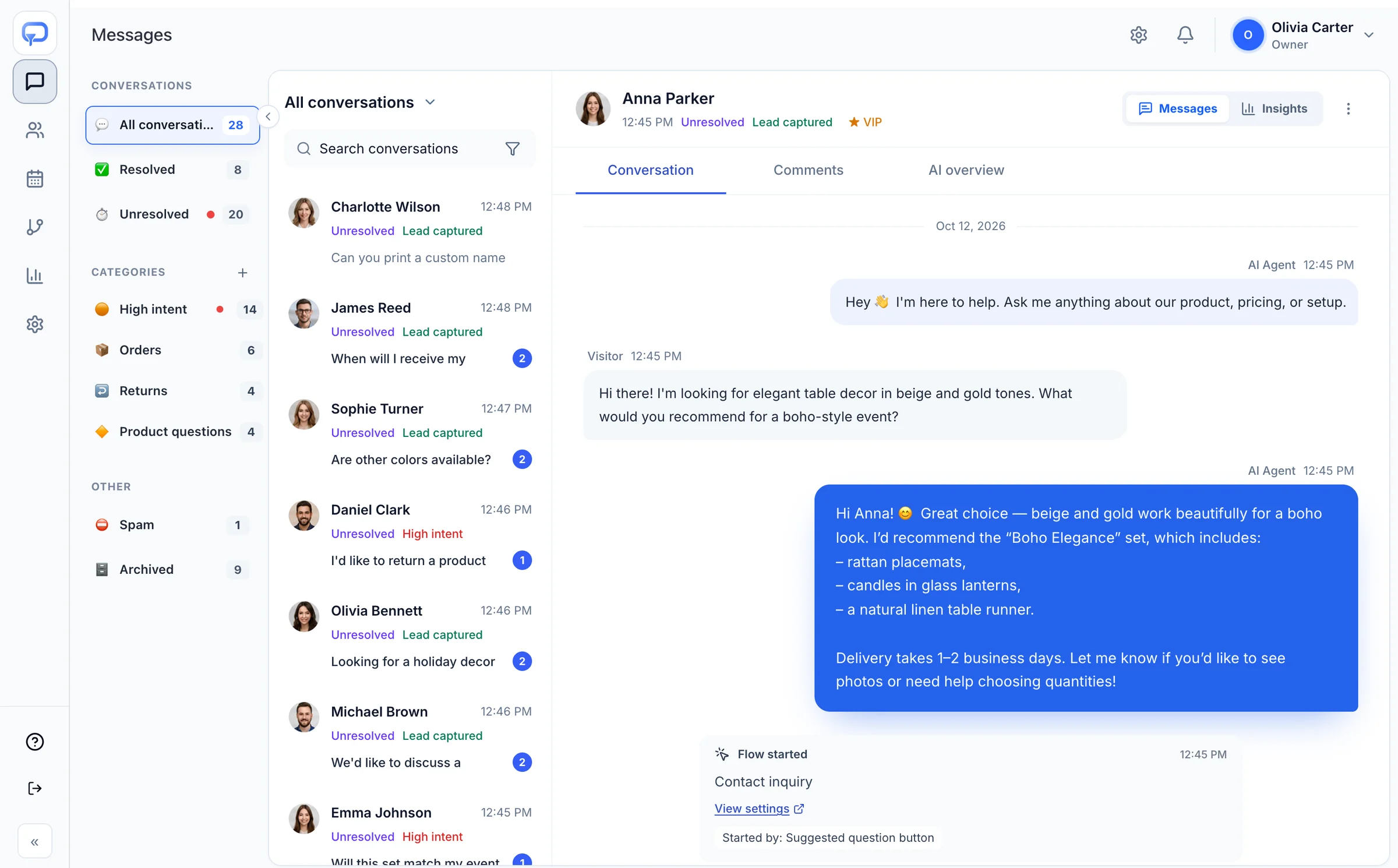
05 / 06Inbox, alerts & team attention
Keep conversations, priorities, and context in one place
Review what visitors asked, see which conversations still need attention, and bring the right person in with the useful details already visible.
Bring important signals to the teamUse alerts for qualified leads, urgent requests, and other conversations the team should review.
Spot important signalsSee high-intent and lead-captured states alongside the conversation that created them.
Prepare a cleaner handoffGive the team the original exchange and captured context before they respond.
The team steps in with the full picture.
Emma JohnsonWill this set match my event theme?High intent
Michael BrownWe'd like to discuss a partnershipPartnership
Olivia BennettMy order hasn't arrived yetUrgent
Alert sent to Olivia CarterNew high-intent conversation · just now
Conversation inboxPriorities & contextImportant conversations stay easy to find.
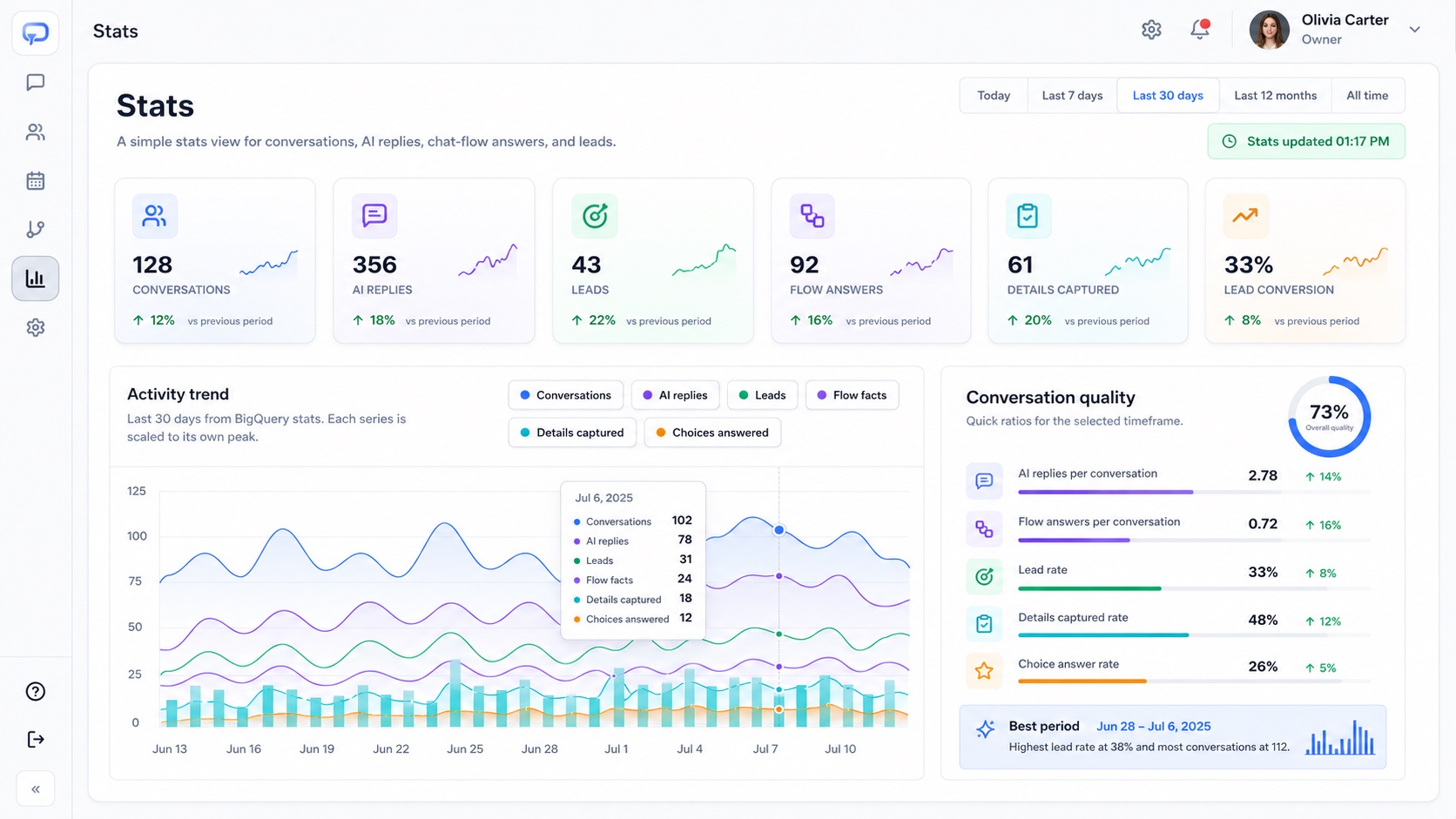
06 / 06Insights & performance
See what visitors need and where the journey can improve
Move beyond raw chat volume. Review conversations, AI replies, captured details, leads, and flow activity to understand which parts of the experience deserve attention.
Follow the important signalsCompare conversation, lead, flow, and captured-detail activity across a selected period.
Understand conversation qualityUse outcome ratios and trends to see whether interactions are becoming more useful.
Turn patterns into improvementsUse repeated questions and missed outcomes to refine website content, knowledge, and flows.
Measure more than how many chats happened.
Questions answered this weekAnswered in chat
Opening hours128
Shipping and delivery103
Pricing and plans81
Changing a booking57
Lead rate up this weekPricing questions now end in a demo
PerformanceConversation insightsFollow outcomes across the whole journey.
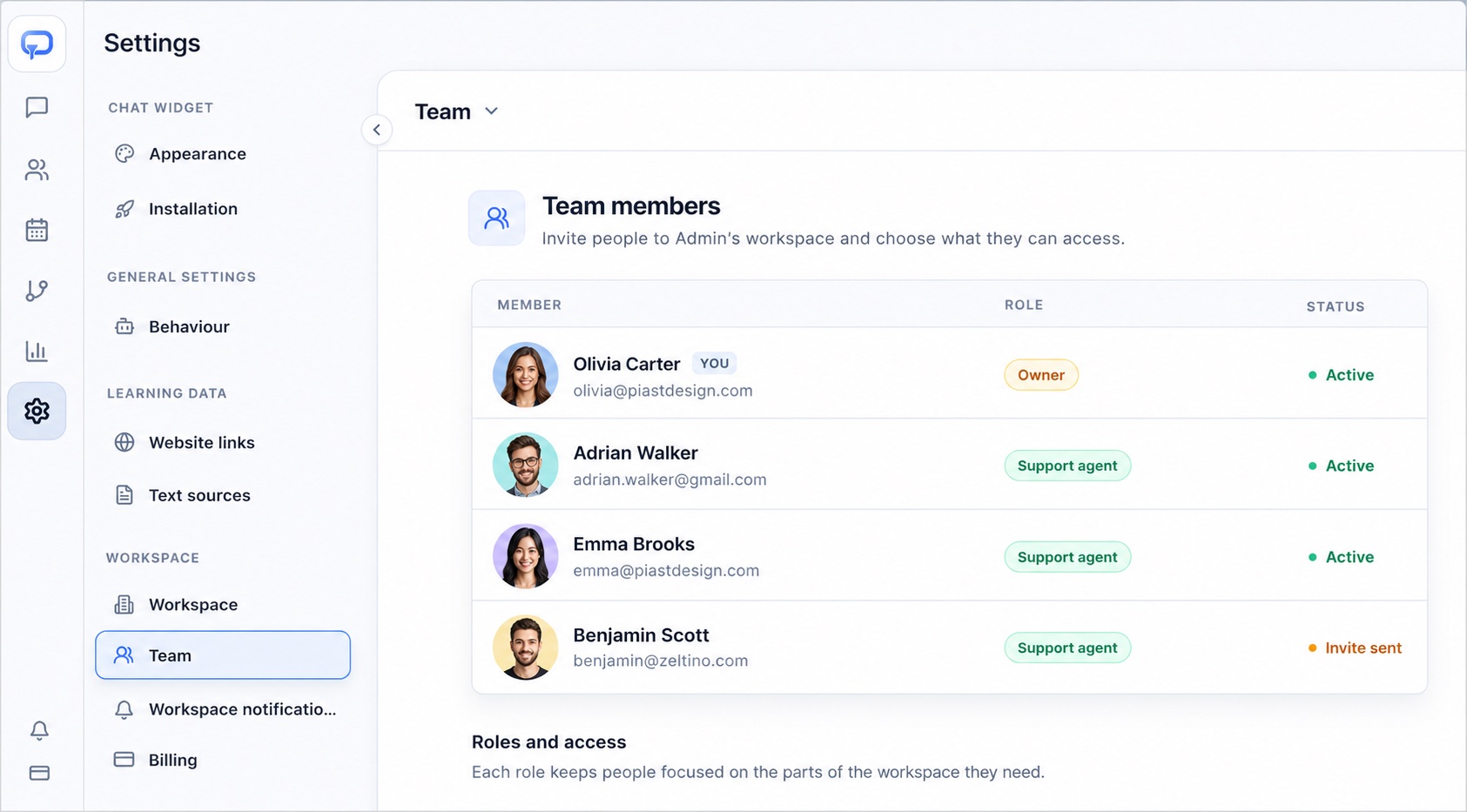
Control stays with your team
Give AI useful work without giving up the rules
Zeltino is designed around approved knowledge, explicit behavior, and clear handoff points. Your team decides what the agent can say, what it should collect, and when a person needs to step in.
Approved sources
Choose the website pages and text sources the agent can rely on.
Boundaries and fallback
Set the response limits and the safe next step when certainty is low.
Human visibility
Keep important conversations reviewable and ready for the right owner.
Team & roles
Fits your current website
Add Zeltino where customers already make decisions
Use the widget on common website platforms, stores, landing pages, and custom frontends.
WordPress
Shopify
Webflow
Wix
Squarespace
WooCommerce
Product questions
Frequently asked questions
Still have questions? Talk to our team about your website, integrations, or setup.
Start by adding your website as a knowledge source, review the imported context, choose a primary flow, and test representative visitor questions. The amount of refinement depends on your content and the journey you want to create.
Yes. You choose the website pages and text sources the agent can use, define its behavior and boundaries, and decide what should happen when the available knowledge is not enough.
Yes. ChatFlows can ask follow-up questions, collect contact details, qualify intent, branch the conversation, and prepare the next action or human handoff.
You can configure colors, shape, agent identity, tone, and other visitor-facing details, then preview the experience before publishing it.
Your team can review conversation threads, statuses, categories, captured details, lead signals, flow activity, and performance trends from the workspace.
See it on your website
Find the Zeltino features that matter most to your customer journey
Share your website with us. We’ll prepare a focused walkthrough around the conversations, handoffs, and outcomes that matter to your team.









.svg)